Getting from Latest Windows 10 v1511 to Latest Latest Build of Windows 10 Version 1607 ...
On August 1, anticipating the Windows 10 Anniversary Update, after making sure it was squeaky clean I imaged my Windows 10 desktop and shutdown the system before retiring. The following morning I turned on the system and waited while the update was applied. Although it installed cleanly a few hours later I subitted a mini-rant to this board because of some of the unexpected things I'd experienced (elimination of several important programs I relied on, lost wallpaper, lost tweaks, changes to default programs, etc., that cost me an hour or so to reestablish.
Assuming that Microsoft would be cleaning up several of the reported issues with the update, a week or so later I restored the August 1st image of Windows 10 version 1511 applied requisite updates from the prior week, cleaned up, and reimaged.
Wednesday I forced the latest patch update which took me to build number 10586.589 of Version 1511 although I had assumed I'd be updated to the latest build of Version 1607. I checked to see if any other updates were available but there weren't. I was unable to run the KB3189866 patch because I was still on Version 1511 ... so I scratched my head and wondered how the heck do I get at the latest Version and Build?
I went to the Windows 10 Download page, clicked on 'Update' which advised there was a newer version (Windows 1607) available and I downloaded the Windows 10 Upgrade Assistant which I ran to install on my desktop, clicked on it and the upgrade to 1607 (latest version) commenced at midday yesterday. It took 1 hour to install and configure my system and after automatically restarting the system was updated without a hiccup.
Once again, however, my custom desktop wallpaper had been replaced, several tweaks I'd made (elimination of icon shortcut arrows, build visible on desktop, etc.) undone again, and 3 items were pinned to the taskbar. The good news though was that unlike my August 2nd experience no applications had been removed or disabled, and no chosen default applications were changed. In 15 minutes or so I had restored my tweaks, unpinned items, and was operating smoothly in totally familiar territory with a fully updated system. I'm now at the latest Version and Build ...
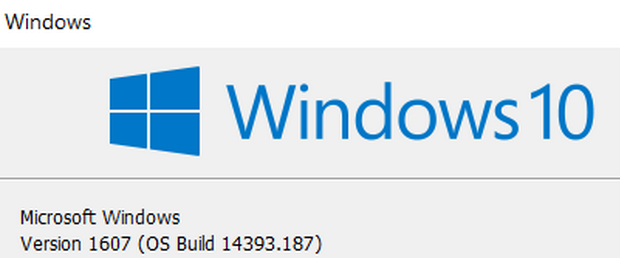
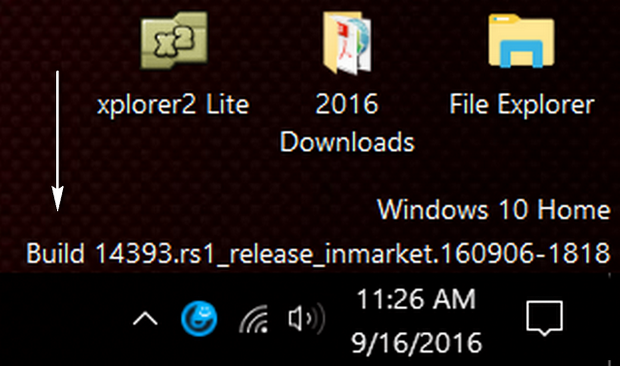
Kudos to Microsoft. With the suspense of waiting for an update from version 1511 to 1607 out of the way, it is time to create a new System Image.
- Eric L. - |



