SI
SI
discoversearch

We've detected that you're using an ad content blocking browser plug-in or feature. Ads provide a critical source of revenue to the continued operation of Silicon Investor.  We ask that you disable ad blocking while on Silicon Investor in the best interests of our community.  If you are not using an ad blocker but are still receiving this message, make sure your browser's tracking protection is set to the 'standard' level.
Pastimes : Computer Learning

 Public ReplyPrvt ReplyMark as Last ReadFilePrevious 10Next 10PreviousNext  
To: steve harris who wrote (80025)11/15/2012 12:03:14 AM
From: stevenallen1 Recommendation  Read Replies (2) of 110626
 
Here's some info from a prior post about how to get the start button back on Windows 8, as well as many other familiar features:

From: FUBHO8/30/2012 6:39:46 AM

Read Replies (1) of 80026


Start8 brings the Start menu and button back to Windows 8


Published on Wednesday, August 29, 2012 By Frogboy In Personal Computing

In preparation for the Windows 8 launch, Stardock has released a near-final version of its highly anticipated Start8 utility.

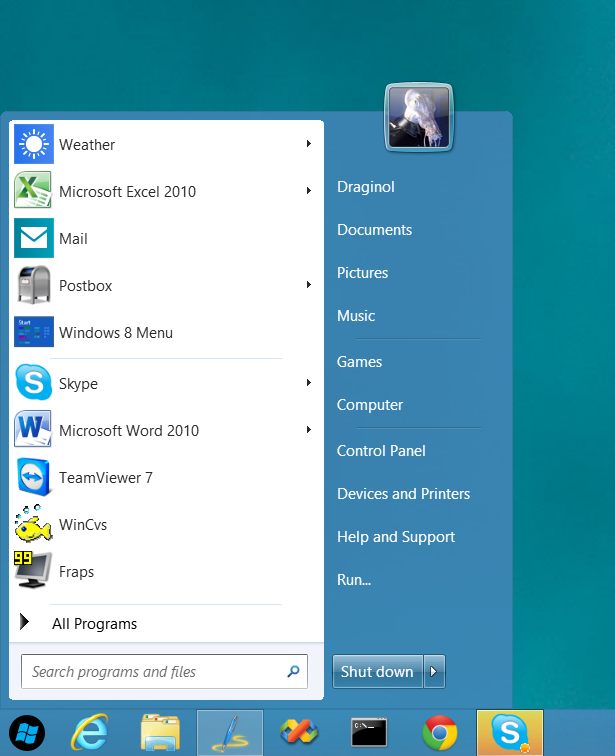
Start8 is a program that adds the Start button back to the Windows 8 desktop as well as provides a fully function post-Windows 7 style Start menu.


What’s New:
  • Windows 7 style Start menu with Windows 8 enhancements
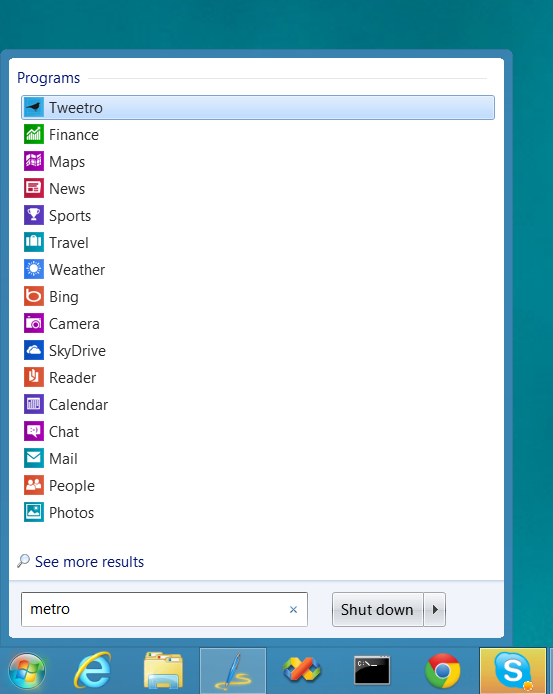
    • Users can search for Windows 8-style (Metro) apps with it
    • Users can pin Metro apps to it
    • Full support for Jump Lists
    • Unified Search
    • Automatically matches color to the color of the taskbar
  • Start button is now skinnable
  • Users can boot directly to the Windows 8 desktop
  • Optionally disable the desktop “hot spots”.
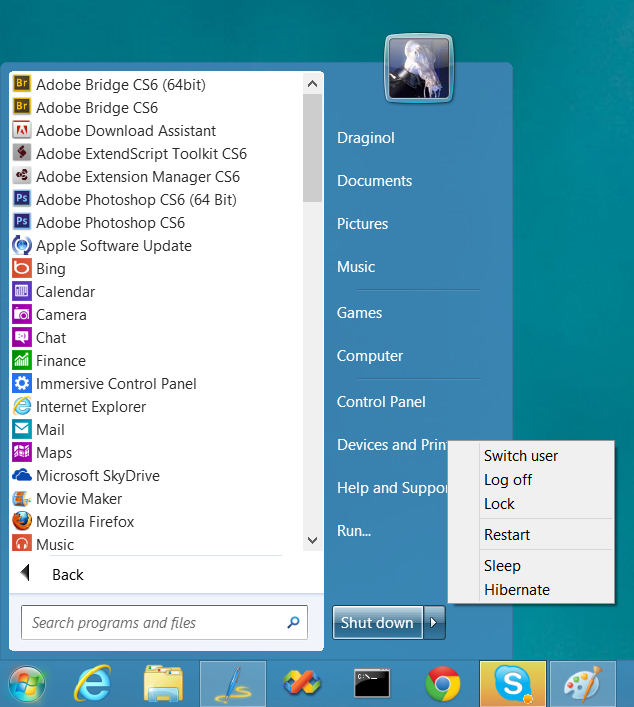
  • Fast access to shut down, devices, music, documents, videos
  • Supports WindowFX 5.1 startmenu animations (currently in beta)
  • The Windows 8 Start screen becomes accessible from the Start menu
  • Start menu size fully configurable
  • Adds option for WinKey to show fullscreen Metro desktop.


Screenshots:


Post Windows 7-style start menu: Can “see” and interact with Windows 8 style apps.


Start button orb image can be changed


All installed Windows 8 style apps can be found by typing “Metro”.


Users can quickly access all their programs and shut down options


Download at stardock.com
Report TOU ViolationShare This Post
 Public ReplyPrvt ReplyMark as Last ReadFilePrevious 10Next 10PreviousNext