| | | Massive Windows 10 Update Has Three Nasty Surprises
Gordon Kelly - NOV 14, 2015
forbes.com
Dubbed ‘Threshold 2’, the release this week of Microsoft's massive Windows 10 update (v1511) has brought lots of very positive changes and some exciting secret features. But unfortunately it has also been dogged by familiar controversy. Here are the issues currently causing problems…
Nasty Surprise #1: The 44% Bug
Users have been reporting installation issues with Threshold 2 and a common topic spotted by InfoWorld is that it gets stuck at the 44% mark. User Waseemulla S asked about this in the official Windows Forum and Microsoft moderator Softie Anannya Podder explained it may be to do with SD card issues:
“We’ve observed that some devices that have an SD bus with an SD card inserted while installing the Windows 10 November update will stop responding at 44%, and we are currently investigating the issue.”
Until Microsoft fixes this issue removing any external media is a decent workaround, but those who use an SD card to make up for a lack of disk space will face problems. Threshold 2 requires 20GB of free space for the installation and that may prove a lot to free up.
Nasty Surprise #2: Deleting And Changing Default Programs
A Reddit thread notes that Threshold 2 is deleting a number of installed programs as it upgrades. Posters have a long list, including CPU-Z, speccy, 8gadgetpack, a Cisco VPN client, SATA drivers, SpyBot, RSAT, F5 VPN, HWMonitor and more.
Of course these can be reinstalled and you will be notified of any removed programs after the installation, but 1. This shouldn’t happen in the first place, and 2. There should be a warning in advance, not just after they were removed. There’s also something a theme here: many are system monitoring tools. Has Microsoft something planned in this space for the future and is quietly removing the competition? Only time will tell, but I suspect that won’t stop the conspiracy theories growing.
On top of this gHacks has spotted that after installing Threshold 2 users are finding it has changed a number of default app choices back to Microsoft services. Microsoft has been guilty of this before, but your choices can easily be restored by going to: System > Default Apps and rechoosing what you want – not that you should have to do this in the first place, of course.
Nasty Surprise #3: Forced Delays For Recent Upgraders
Quite surprisingly, Microsoft admits on its Windows Update FAQ that new Windows 10 users are being pushed to the back of the queue for the Threshold 2 Update:
“If it’s been less than 31 days since you upgraded to Windows 10, you won’t get the November update right away; this will allow you to go back to your previous version of Windows if you choose. After the 31 days have passed, your PC will automatically download the November update.”
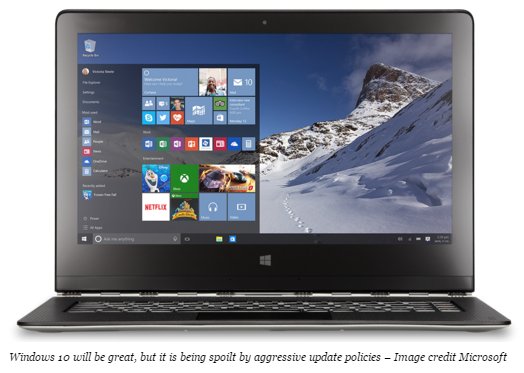
This is a somewhat baffling decision since Threshold 2 allows users to downgrade to a previous version of Windows. Furthermore – in something of a Windows 10 update role reversal – if you uninstall the Threshold 2 update then it won’t reinstall automatically and you’ll need to get it from the Microsoft website.
I suspect this is just until the next batch of updates which will trigger more automatic updates, but it’s a curious move in the first place which will have some users hopeful that Microsoft is considering loosening some of its vice-like control over the OS.
* * * |
|



